User research
Understand the people, tasks, and context behind the interface.
Technology & Development
Best UI/UX Design Company in Bangladesh How BitByte Innovations, the Best UI/UX design company in Bangladesh, takes projects from discovery to launch and ongoing support. BitByte…
Built for your business
A clear view of what we can bring to your project.
Understand the people, tasks, and context behind the interface.
Turn core journeys into clear flows and wireframes.
Create consistent screens and reusable interface components.
Explore the experience and gather feedback before development.
From conversation to delivery
Know what comes next,
at every step.
Agree on goals, requirements, and the people we are building for.
Shape the solution and review the approach together.
Develop in clear milestones with room for feedback.
Test the agreed scope and prepare your team for handover.
A closer look
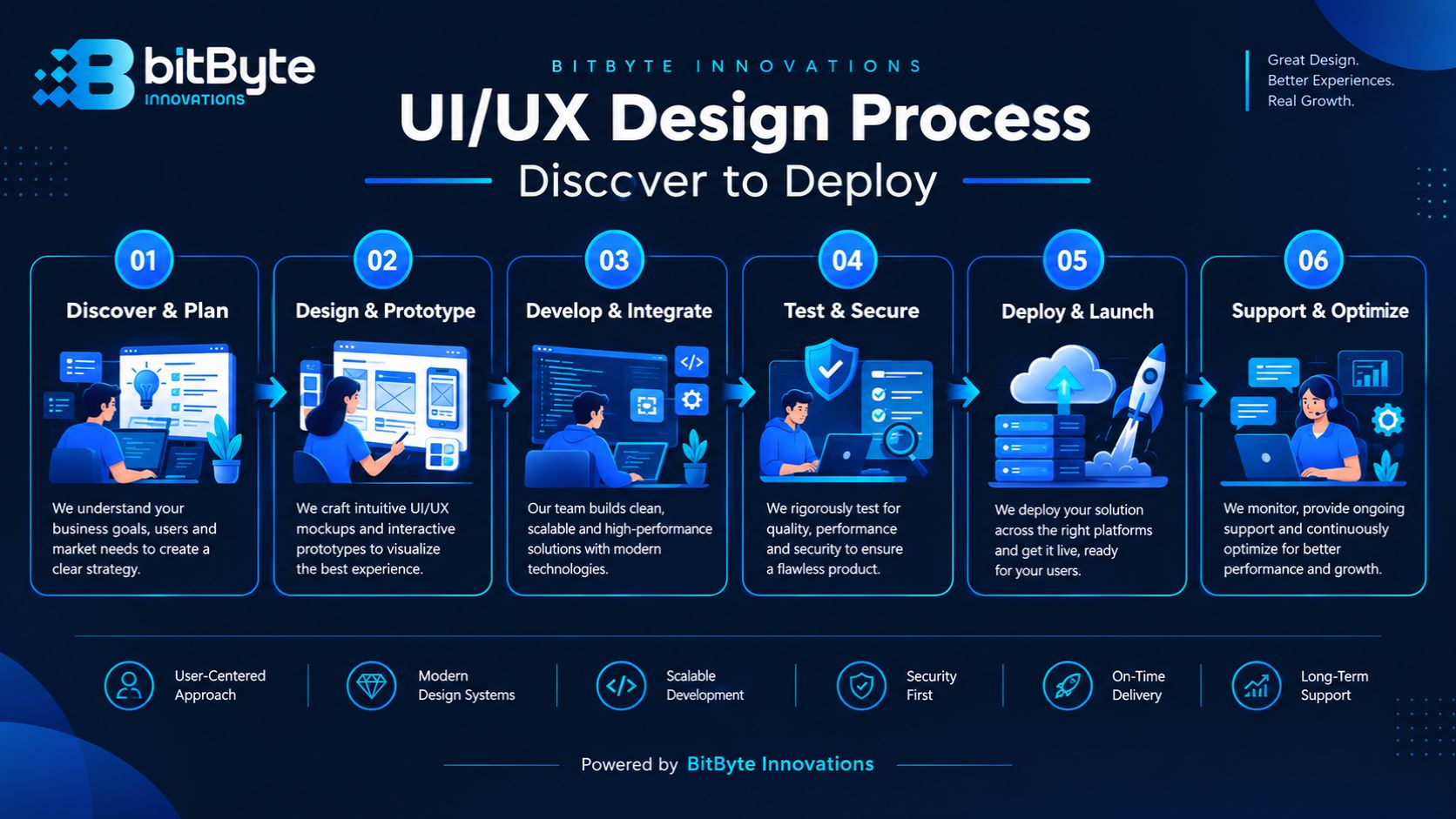
BitByte Innovations is a Best UI/UX design company in Bangladesh that designs interfaces users actually want to use, then builds them in-house. We’re based in Chattogram, and we work with startups, SMEs, and enterprise teams across Bangladesh and internationally.
Most design studios stop at the handoff file. We don’t, because we’re also the team writing the React, Node.js, and mobile code behind it. That means fewer redesigns, fewer “that’s not technically possible” conversations, and a product that looks right and works right from day one. See our work or get in touch to start a project.
Good design isn’t a single deliverable — it’s a sequence of decisions, each one checked against real users and real business goals. Below is how we break that sequence down, and where it connects to the rest of BitByte’s web and mobile development work.
Every project starts with questions, not wireframes. We talk to stakeholders about business goals, review any existing analytics or support tickets, and where the budget allows, talk to actual users. This is where we catch the assumptions that would otherwise get baked into a design and cost weeks to unwind later.
For an existing product, this stage includes a heuristic evaluation of the current interface — checking it against established usability principles to flag friction points before we ever open Figma. For a new product, discovery focuses on defining who the primary user is and what single job the interface needs to do well.
The output is a short discovery brief: user goals, key flows, constraints, and success measures. Everything downstream — wireframes, the design process, and the eventual development handoff — gets checked against that brief.
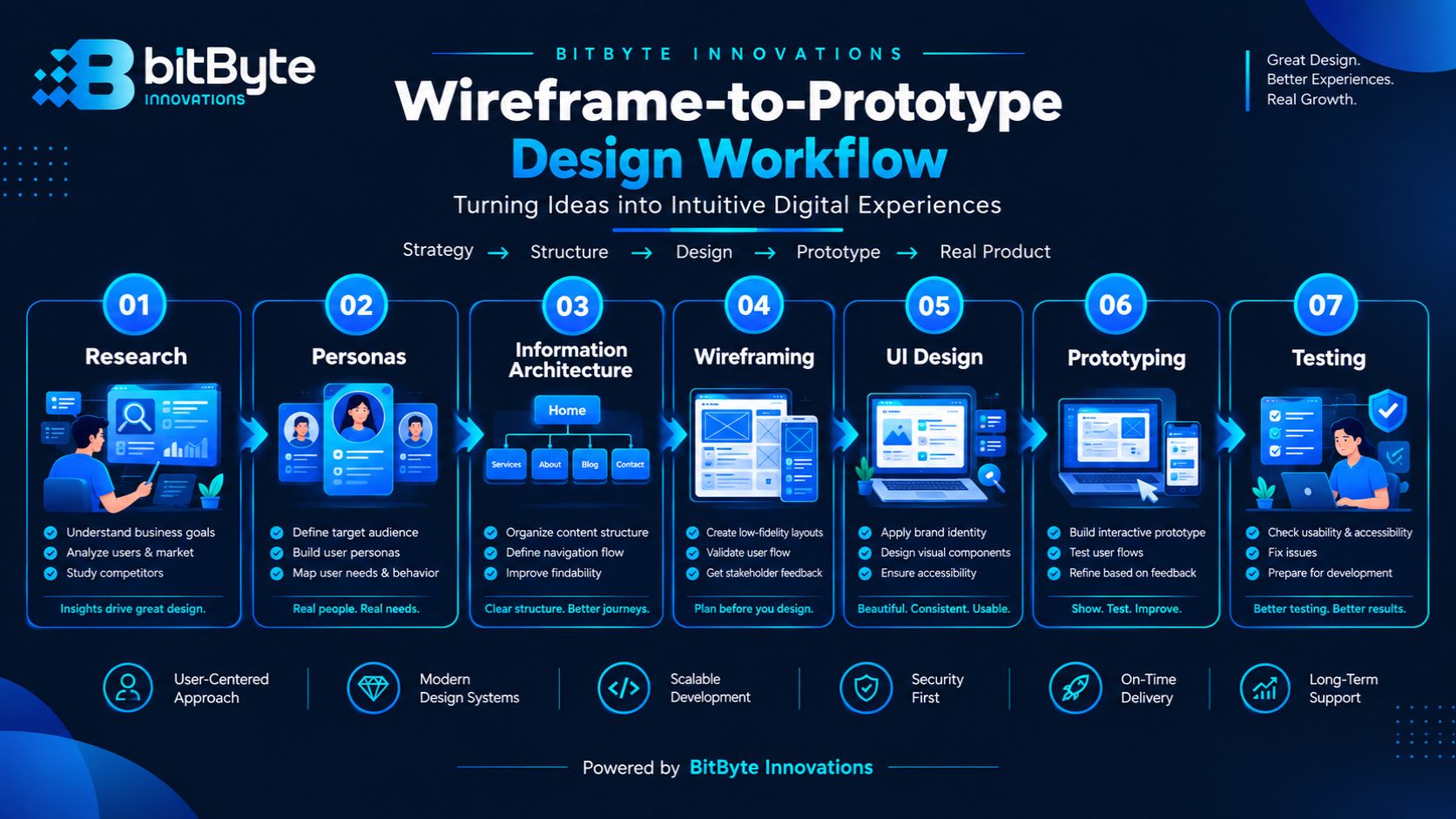
Wireframes let us test structure and flow before anyone invests in visual polish. We map the core user journeys as low-fidelity screens first, focused purely on information architecture: what’s on each screen, in what order, and why.
Once the flow is agreed, we build clickable prototypes. This is the stage clients tend to find most useful, because a prototype behaves like the real product. Stakeholders can click through a checkout flow or an onboarding sequence and catch problems that are invisible in a static mockup.
We keep this stage lightweight for smaller projects — a one-screen SaaS dashboard doesn’t need the same prototyping depth as a multi-step healthcare booking flow. Scope is matched to the product, not applied as a fixed template.
This is where the interface gets its visual identity — typography, color, spacing, and component states, applied consistently across every screen. For products with more than a handful of screens, we build a lightweight design system: reusable buttons, form fields, cards, and navigation patterns defined once and reused everywhere.
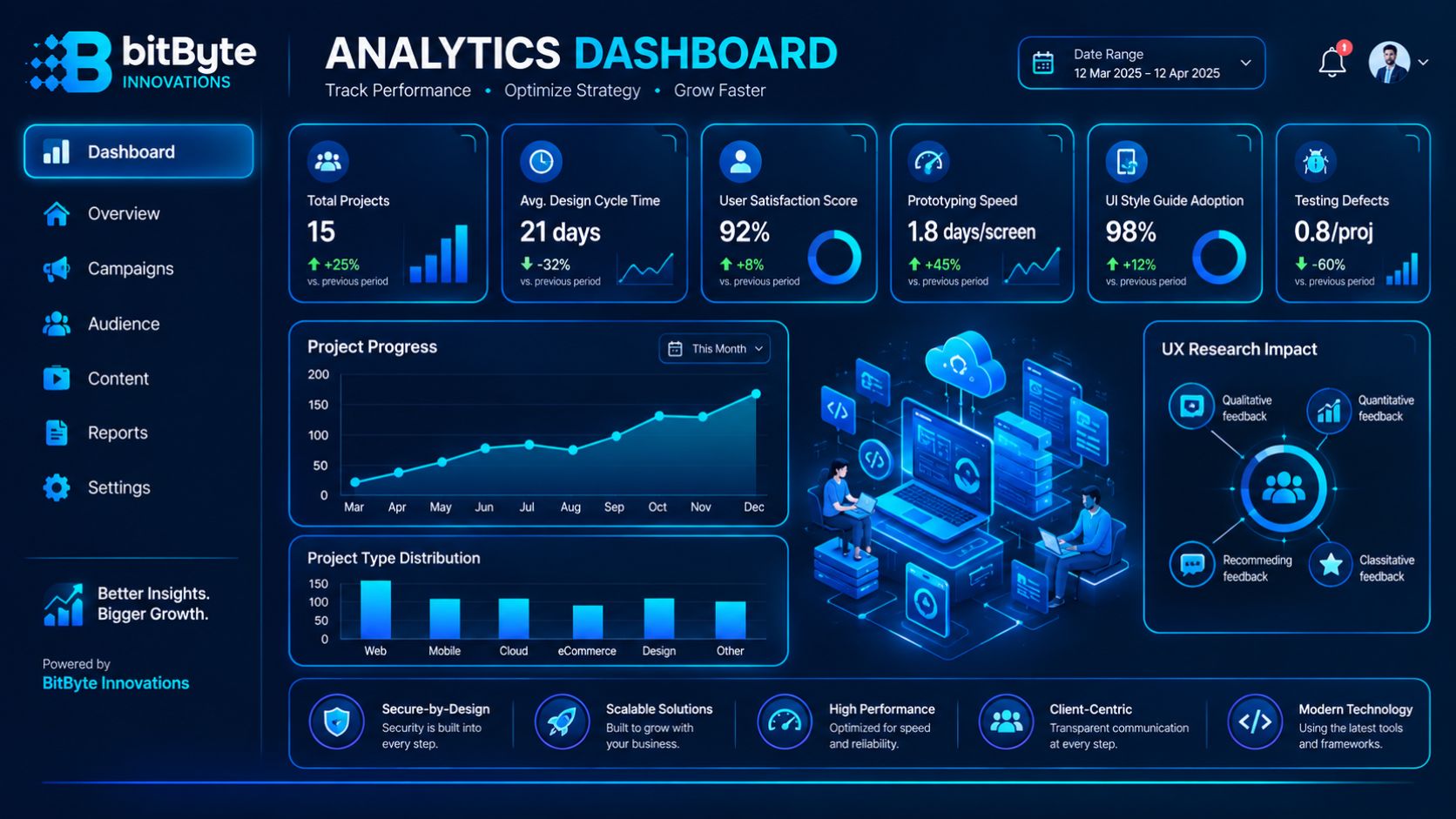
A design system matters more than it sounds like it should. Without one, every new feature quietly drifts from the last, and six months in, the product looks like it was designed by three different teams. With one, new screens ship faster and stay visually consistent, which is exactly what our Analytics Dashboard project needed as new reporting views were added.
We design in accessible contrast ratios and legible type sizes by default, referencing WCAG guidelines rather than treating accessibility as a final pass. It’s cheaper to build in from the start than to retrofit later.
A design that looks right on a laptop can still fail the moment a real person tries to use it one-handed on a phone with a cracked screen. Usability testing — watching a small group of real or representative users complete key tasks — is how we catch that before launch, not after a support queue fills up.
We run this at a scale that fits the project: a handful of moderated sessions for a complex flow, a shorter feedback round for a simpler one. Every session produces specific, actionable fixes — not vague impressions — which get folded back into the design before it goes to development.
For products already in the market, we can run this as a standalone UX audit: a structured review of the existing interface against usability heuristics, with a prioritized list of what to fix first.
This is the stage where most design agencies stop, and where BitByte keeps going. Because our designers and our web development and mobile development teams sit in the same company, handoff isn’t a file transfer to a stranger — it’s a conversation between people who already understand the project’s constraints.
We deliver developer-ready files with documented components, spacing, and states, and our design and engineering teams stay in the loop through build so small implementation questions get answered same-day instead of piling up into a change request. For projects where BitByte also builds the product, this typically shortens the gap between “design approved” and “feature shipped.”
A confusing interface has a direct cost. Every extra step in a checkout flow, every unclear label on a form, and every screen that loads without explaining what happened next is a small tax on conversion. Multiply that across thousands of visits and it becomes a measurable dent in revenue, not just an aesthetic complaint.
The reverse is also true. A checkout that removes one unnecessary field, a dashboard that surfaces the one number a user actually checks daily, or an onboarding flow that gets a new user to their first useful action faster — these are small design decisions with outsized business effects. Retention, support ticket volume, and customer lifetime value all respond to how easy a product is to use.
There’s a development cost too. A product designed without research tends to get rebuilt — not once, but repeatedly, as usability problems surface after launch. Time spent on research and prototyping upfront is consistently cheaper than time spent re-engineering a shipped feature. That’s part of why we treat design and development as one connected process rather than two separate vendors handing work back and forth.
We design for the sectors where our own portfolio already has real, shippable work — not a generic list of every industry an agency could claim.
E-commerce & Retail. Our e-commerce platform work covers product discovery, cart, and checkout flows built on React and Node.js, with UI decisions driven by what actually moves a browser to a buyer.
Healthcare & Telemedicine. Patient management and telemedicine interfaces carry higher stakes than most — a confusing appointment flow isn’t just a lost conversion, it’s a missed appointment. Our healthcare app work is built with that in mind.
Fitness & Wellness. Cross-platform apps live or die on daily engagement. Our fitness tracking app pairs AI-powered insights with an interface simple enough to open every day, not just once.
SaaS & Analytics. Dashboards fail when they show everything and communicate nothing. Our analytics dashboard work focuses on real-time data presented so the one number that matters doesn’t get buried.
AI-Powered Products. Chatbot interfaces and AI-driven workflow tools need design that manages user expectations — when the AI is confident, when it isn’t, and what happens when it gets something wrong.
This isn’t a rigid waterfall — smaller projects compress these stages, larger ones loop back through testing more than once. But the order and the intent stay the same: understand first, design second, validate before you build.
Our design work is built in Figma, from early wireframes through to final, developer-ready components and design systems — the same file, evolving stage by stage, rather than separate tools that lose fidelity in translation.
Prototypes are built to be genuinely clickable, not static images with hotspots — stakeholders and test participants interact with something close to the real product. Handoff includes documented components, spacing, and states so our development team can implement directly from the design file, with designers staying available to answer implementation questions during the build.
Where a product needs a formal design system — a shared library of components, type styles, and patterns — we build and document it as part of the engagement, not as a separate line item added later.
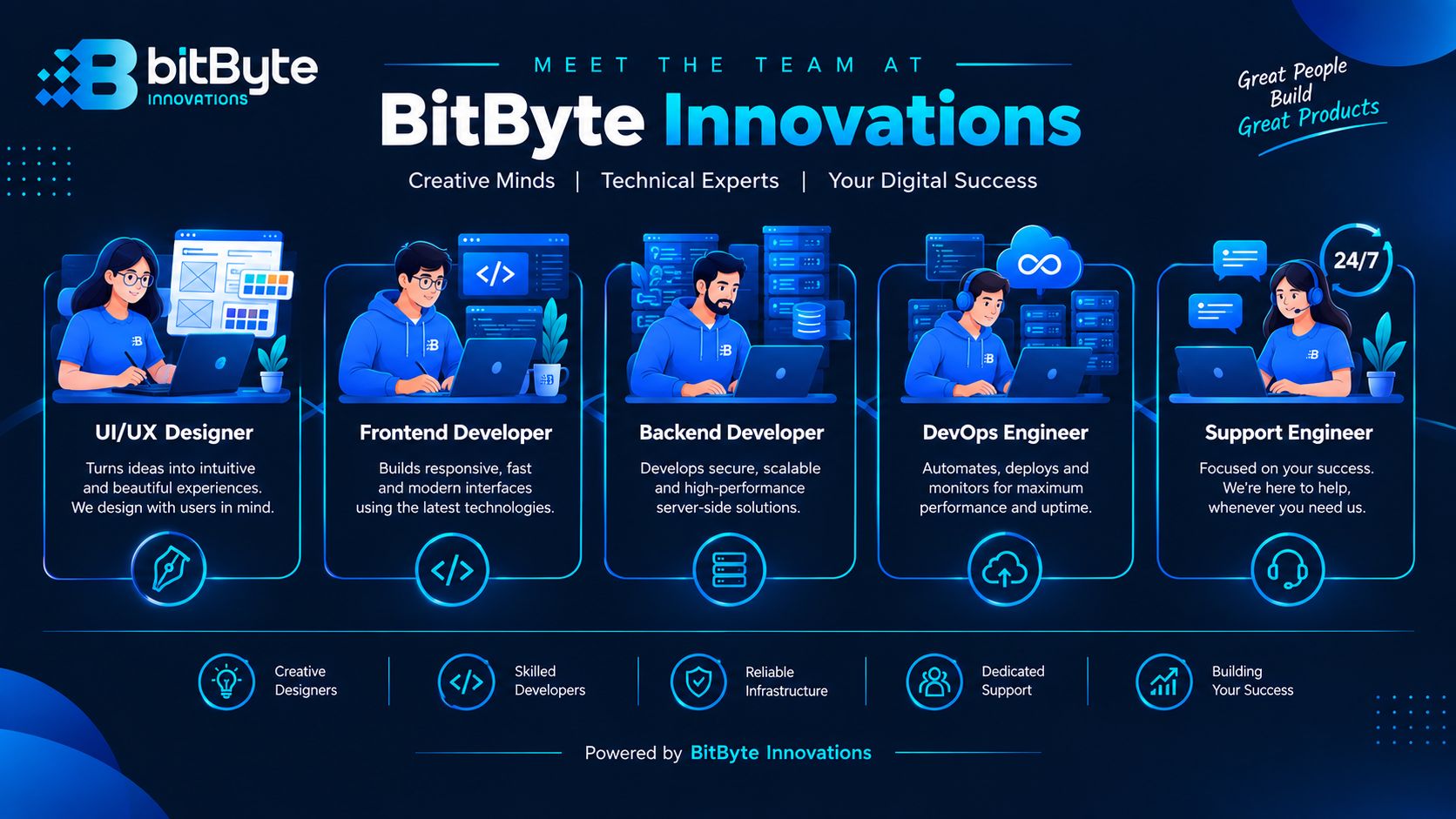
BitByte has completed 50+ projects for 25+ clients over 5+ years, with a track record our clients speak to directly — including feedback on our web development and design work from partners like HyperConnect Global SDN BHD and Jaaeem.com.bd, both featured on our homepage.
Best UI/UX Designer team at BitByte Innovations.
The advantage that’s harder for a design-only studio to offer is structural: our UI/UX designer, BitByte Innovation, works alongside our frontend and backend engineers and our AI team under one roof. A design decision gets checked against technical feasibility the same week it’s proposed, not after a separate development vendor pushes back weeks later.
That also means BitByte can scope a project as design-only, design-plus-development, or a full rebuild that includes AI features or cloud infrastructure — without you having to coordinate three separate vendors. If you’re evaluating whether to hire a freelancer, an in-house designer, or an agency, our FAQs below cover that comparison directly.
This image shows to BitByte team support after launching a website.
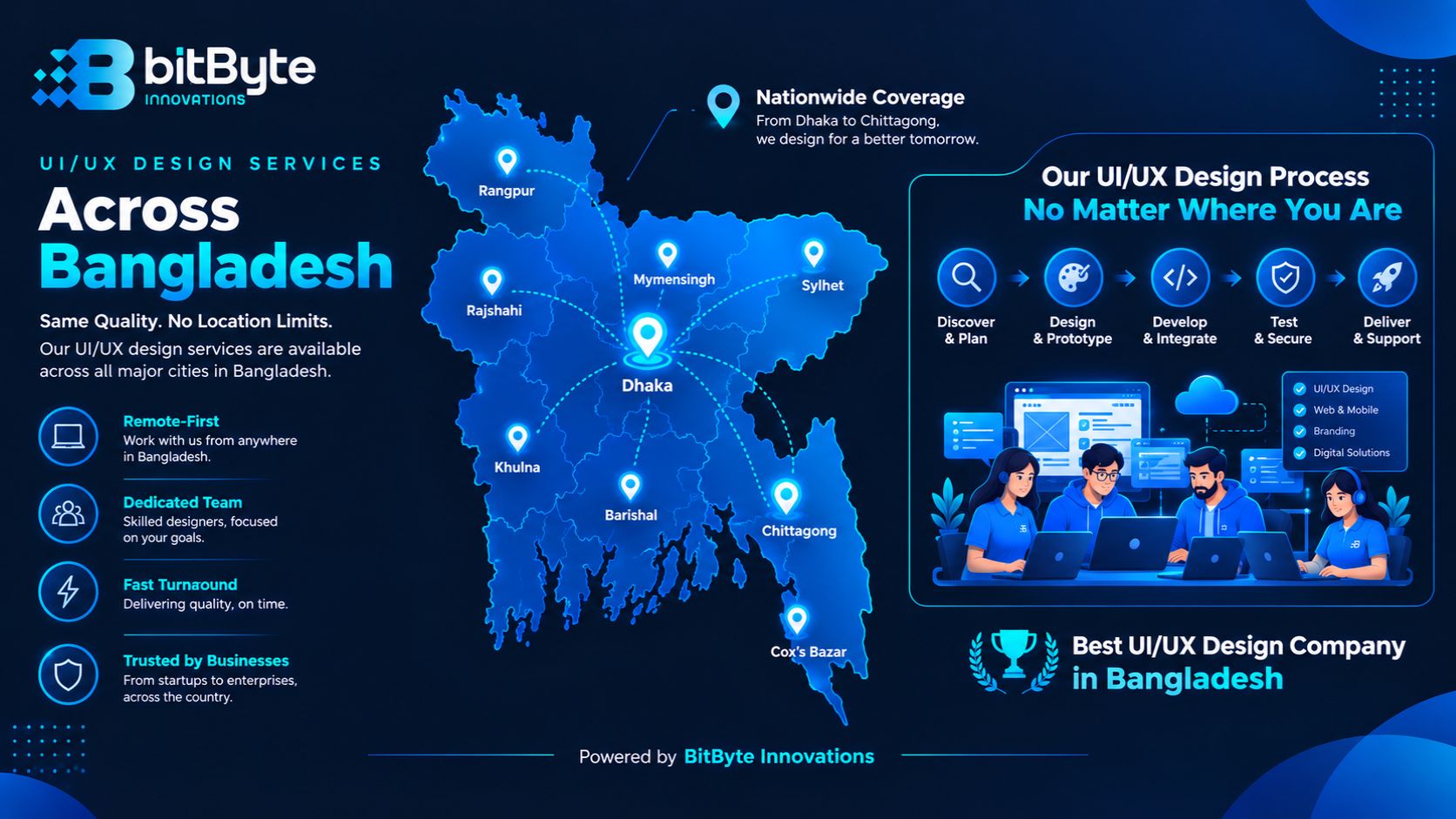
BitByte is headquartered in Chattogram, with a branch office in the city’s Chawkbazar area, and we design and develop for clients across Bangladesh — most engagements run over video calls and shared Figma files, so location affects logistics far less than it used to.
Chattogram is home to both our head office on CDA Avenue and our branch office in Chawkbazar, so Chattogram-based clients can meet our design and development team in person as easily as remotely. Get in touch to set up a first conversation locally.
Dhaka is Bangladesh’s largest concentration of startups and SMEs, and it’s where a significant share of our client conversations start. Our process is built around remote collaboration by default, so a Dhaka-based team gets the same design workflow as a Chattogram-based one.
Sylhet has a growing base of tech-forward businesses, and we work with Sylhet-based clients the same way we work with anyone outside Chattogram: through structured discovery calls, shared Figma files, and scheduled review sessions.
For businesses in Khulna, our design engagements run fully remotely — from the first discovery call through prototype reviews to final handoff — with the same process and the same team involved throughout.
Rajshahi-based teams work with us the same way as any other remote client: async design reviews, scheduled calls, and a shared project file so stakeholders can see progress without waiting for a status report.
Cumilla is close enough to Chattogram that in-person kickoff meetings are usually possible, with the rest of the engagement — research, design, testing — handled the same way as any remote project.
For Gazipur-based businesses, particularly in manufacturing and industrial sectors, we design operational dashboards and internal tools with the same research-first process used on any client-facing product.
Narayanganj clients work with our team remotely, with discovery, design, and handoff following the same structure regardless of distance from our Chattogram office.
We support Barishal-based clients through the same remote-first process as the rest of the country — no part of our design workflow requires an in-person meeting to move forward.
Rangpur-based teams get the same discovery-to-handoff process as any other client, coordinated entirely through video calls and shared design files.
For Mymensingh-based businesses, our design process runs the same way it does for every remote client — structured, documented, and reviewed on a set schedule rather than left to chance.
Best UI/UX Design in BAngladesh-Nationalwide
How much does UI/UX design cost in Bangladesh? Cost depends on scope — a single landing page redesign costs far less than a multi-screen SaaS product with a full design system. We scope every project individually after a discovery call, rather than quoting a flat rate that doesn’t reflect the actual work involved. Contact us for a project-specific estimate.
How long does a typical UI/UX design project take? A small project — a handful of screens or a focused redesign — can move from discovery to handoff in a few weeks. A full product with a design system, multiple user flows, and usability testing takes longer. Timeline is set during discovery once the actual scope is clear.
What’s included in your UI/UX design service? Depending on what a project needs, engagements can include user research, wireframing, prototyping, visual UI design, design systems, usability testing, and developer handoff. Not every project needs every stage — we scope based on your product’s stage and goals, covered in detail under Our UI/UX Design Services above.
Should I hire a freelancer, an in-house designer, or an agency like BitByte? A freelancer can work well for a single, well-defined deliverable. An in-house hire makes sense once design work is constant and ongoing. An agency like BitByte fits the space in between — dedicated design expertise without a full-time hire, backed by a development team that can build what gets designed, which a solo freelancer usually can’t offer.
How does UI/UX design connect to your development work? Our UI/UX designer works alongside our web and mobile development teams rather than handing off to an outside vendor. That means design decisions get checked for technical feasibility early, and the handoff from design to code happens inside one team, which is where most of the friction disappears. See Design-to-Development Handoff above.
If users are dropping off, support tickets are piling up, or your interface just doesn’t look and feel like your business deserves, let’s talk about what’s fixable and what it would take.
Call us: +8801317333388 / +8801345984472
Email: info@bitbyteinnovations.com
Let’s make it happen
Tell us where you want to go. We’ll help you plan the next step.