Custom Software vs Off the Shelf: What’s the Difference?
The custom software vs off the shelf difference comes down to who the product is built for. Off-the-shelf software is ready-made. A vendor builds it once and sells it to many customers. Think of standard accounting packages, basic CRMs, or booking tools you pay for monthly.
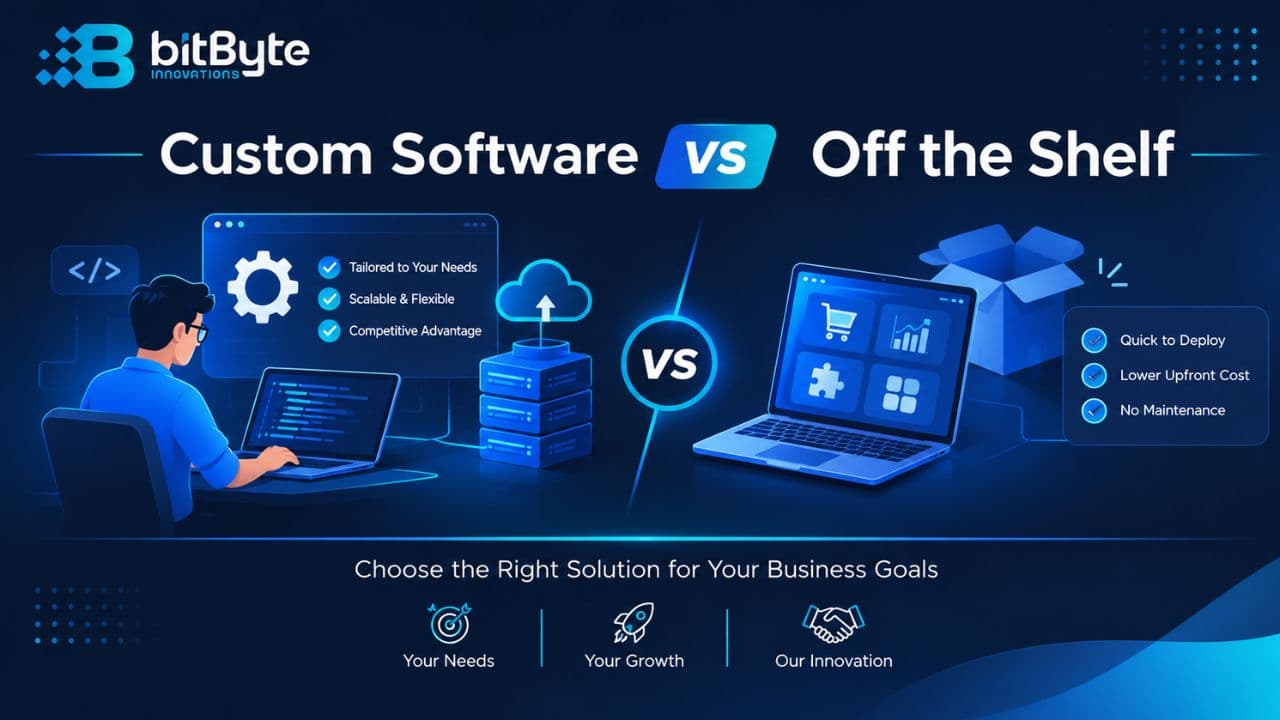
The custom software vs off the shelf difference comes down to who the product is built for. Off-the-shelf software is ready-made. A vendor builds it once and sells it to many customers. Think of standard accounting packages, basic CRMs, or booking tools you pay for monthly. You sign up, adjust a few settings, and start working. The industry term is commercial off-the-shelf software, or COTS.
Custom software is built for one business. A development team studies your workflow, then designs and codes a system around it. You own the result. It does what you need, and little else.
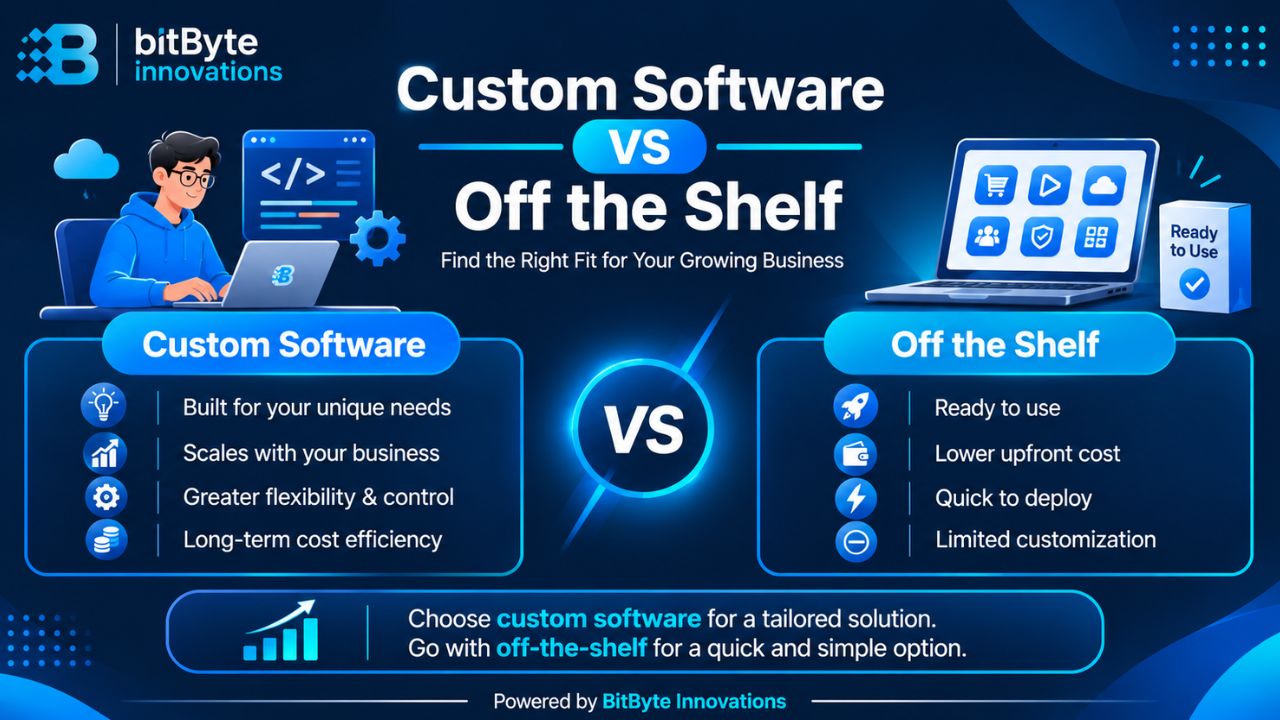
In short, off-the-shelf software asks you to adapt to the tool. Custom software adapts to you.
When Off-the-Shelf Software Is the Smarter Choice
In the custom software vs off the shelf decision, ready-made tools aren’t second best. For many jobs they are the right call. Buy when most of these points are true:
- Your need is common, such as email, payroll, or basic accounting.
- You need the tool running this week, not next quarter.
- Your upfront budget is tight.
- You are testing a new idea and don’t want to commit yet.
- The product already covers your rules and reporting needs.
As a rule of thumb, if a tool fits most of your process out of the box, buy it. Don’t build what already exists.
When Custom Software Is Worth the Investment
The custom software vs off the shelf balance tips toward building when generic tools start costing you time. Look for these signs:
- Your workflow is unique and gives you an edge over competitors.
- Staff waste hours on workarounds between disconnected tools.
- Licence fees climb with every new user.
- You need deep links to your website, mobile app, or other systems.
- You must control your data and your security rules.
- You plan to sell the software as a product of your own.
Our custom software solutions team often meets clients at exactly this point. They have spreadsheets that don’t talk to each other, or a CRM that misses key features. If customers also need a portal or app, the same team can handle web development and mobile app development.
Custom Software vs Off the Shelf: Side-by-Side Comparison
Here is how custom software vs off the shelf compares on the factors that matter most.
| Factor | Off-the-shelf | Custom |
|---|---|---|
| Upfront cost | Lower | Higher |
| Cost over time | Recurring fees that often grow per user | One build plus maintenance, with no per-user licence |
| Time to launch | Days to weeks | Weeks to months |
| Fit to your workflow | You adapt to the tool | Built around your process |
| Scalability | Limited by vendor plans | Grows with your needs |
| Integration | Depends on vendor connectors | Designed for your systems |
| Ownership | Vendor controls the roadmap | You control features and data |
| Main risk | Price hikes or dropped features | Poor planning or scope creep |
Look Beyond the Price Tag
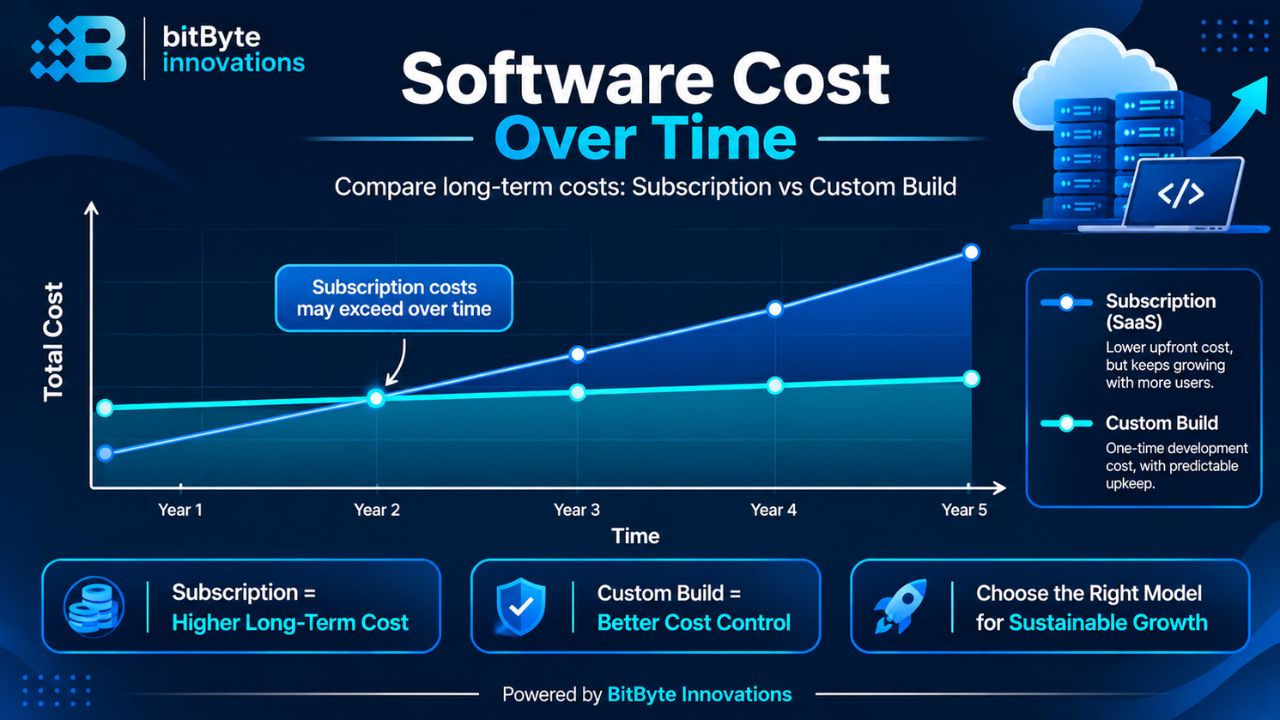
A fair custom software vs off the shelf comparison must include total cost. Upfront price is only one line on the bill. Many off-the-shelf tools charge per user, per month. Add ten staff and the invoice grows. Some global products also price in dollars, so your cost can shift with the exchange rate.
Then count the hidden costs. These include hours lost to workarounds, extra tools that fill gaps, and a painful migration if you outgrow the product.
Custom software costs more at the start. But you keep the asset, and you don’t pay for seats you don’t use.
Still, don’t ignore upkeep. Software needs updates, security fixes, and support after launch. The OWASP Top Ten is a useful reference for common web application risks, and a good partner builds with them in mind. Budget for upkeep from day one, and plan secure hosting through cloud solutions and sound cybersecurity practice.
The Middle Path: Buy the Base, Customise the Rest
The custom software vs off the shelf choice isn’t always either-or. Many companies run a ready-made core and add custom pieces where it matters most. For example, you might keep a standard accounting tool and build a custom dashboard or integration around it.
Integration is often the cheapest way to make a bought tool feel custom. It lets data flow between systems without anyone copying it by hand. That is a core part of wider digital transformation work.
We follow a similar idea with our own hotel, school, and madrasha platforms. You can configure an existing product, or discuss a custom build. Browse our products to see how that works.
Think About Growth, Not Just Today
Picture your business in three years. More staff, more customers, more data. Ready-made tools can hit limits by then, such as user caps, locked features, or connectors that don’t exist.
When that happens, teams patch the gaps with spreadsheets and extra apps. The mess grows quietly. Custom systems can be extended in phases, so the software keeps pace with the company. That is why the custom software vs off the shelf choice matters more as you scale.
5 Questions to Ask Before You Decide
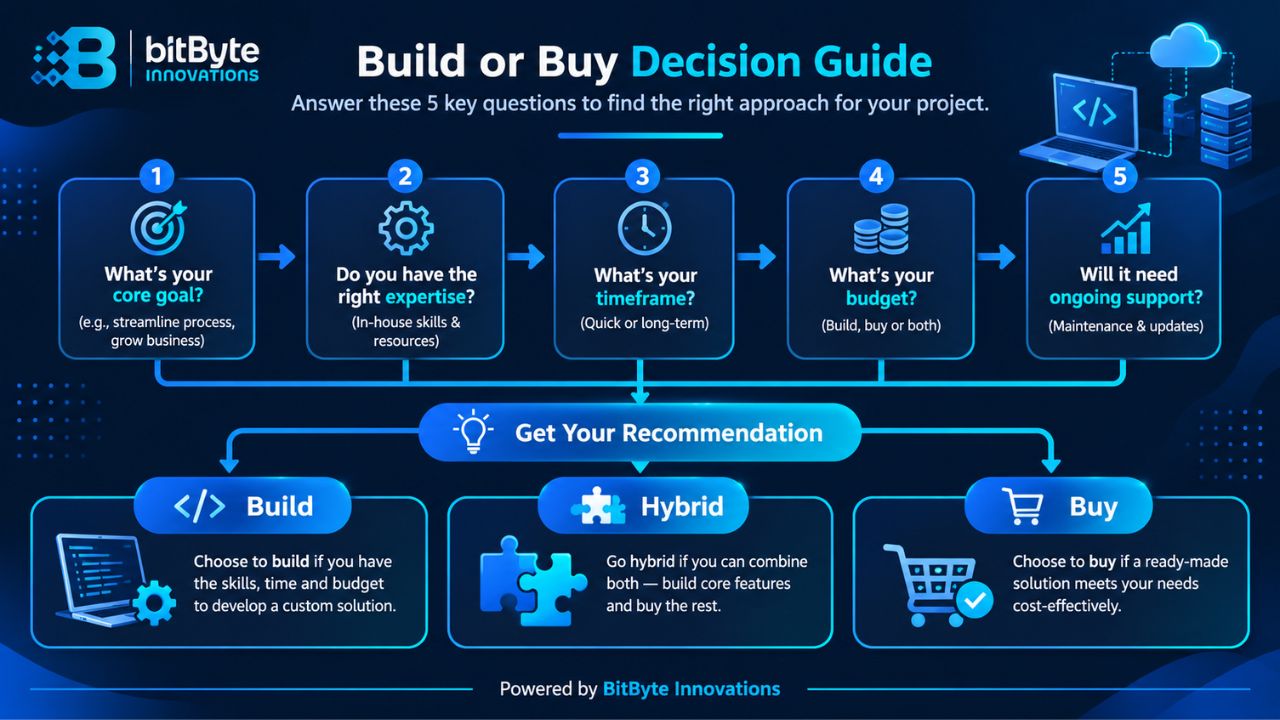
These five questions make the custom software vs off the shelf choice much clearer. Answer them honestly before you spend anything:
- Is this process unique to us? If competitors run it the same way, buy a ready-made tool.
- How many people will use it? Per-user pricing hurts most when your team grows fast.
- What must it connect to? List your website, app, accounting tool, and payment or courier systems.
- How soon do we need it? If the answer is “this month”, start with a ready-made product.
- Who will maintain it? Every option needs an owner, whether that is a vendor or a development partner.
If most answers say “common, small, and urgent”, go off-the-shelf. If they say “unique, growing, and connected”, go custom. When the answers are mixed, the hybrid route usually wins.
Common Mistakes to Avoid
These errors derail many custom software vs off the shelf decisions:
- Building what already exists. Custom code for a common need wastes money.
- Buying without checking integrations. A tool that can’t connect to your other systems creates more manual work.
- Forgetting upkeep. Both options carry running costs after launch.
- Starting too big. Begin with a minimum viable version of the custom system, then grow it in phases.
Frequently Asked Questions
Is custom software better than off-the-shelf software?
In the custom software vs off the shelf debate, neither is better in every case. Custom software wins when your process is unique or your tools need deep integration. Off-the-shelf wins when you need speed and your needs are common.
Is custom software more expensive than off-the-shelf?
Usually yes at the start. Over several years, the gap can narrow, because custom software avoids recurring per-user fees. Compare total cost over three to five years, not just the first invoice.
Which is better for a small business: custom software vs off the shelf?
Most small businesses should start with off-the-shelf tools. They are quick to launch and easy on cash flow. Move to custom software once a tool blocks growth or workarounds eat too much time.
How long does custom software take to build?
It depends on scope. A focused internal tool may launch in a few weeks. A full ERP or SaaS platform takes several months of phased work and testing.
Can I start with off-the-shelf software and switch to custom later?
Yes, and many businesses do. Pick a tool that lets you export your data easily. That makes a later move far less painful.
Can I add AI to custom software?
Yes. Custom systems are easier to extend with features like prediction or automated sorting. See our AI solutions for how that works in practice.
Make the Right Call on Custom Software vs Off the Shelf
The best answer to custom software vs off the shelf depends on your process, your budget, and your plans for growth. Start with the five questions above, and be honest about what you really need.
Still unsure? Talk to our team about custom software solutions in Bangladesh. Book a free discovery call, and we will tell you plainly whether to build, buy, or combine the two.