
What Is an ERP System and Does Your Business Need One?
An ERP system is business software that runs your core operations from one shared database. The word “resource” covers money, stock, people, and time.
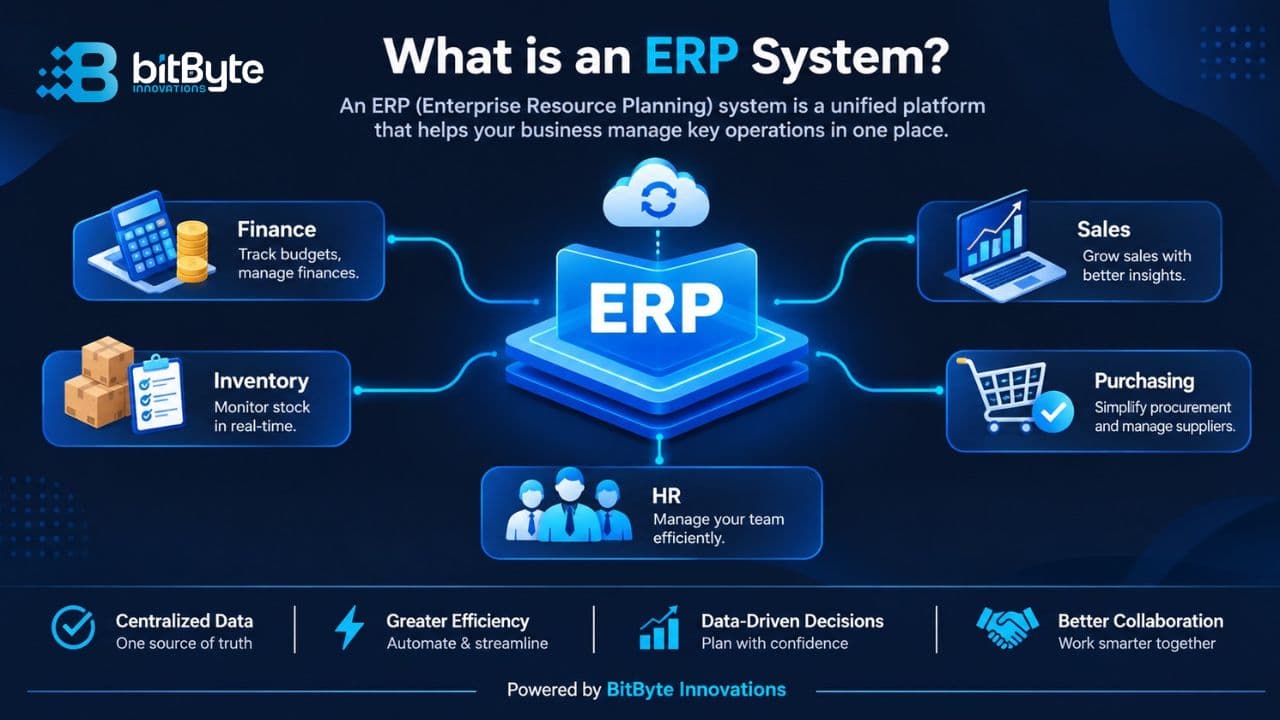
What Is an ERP System?
An ERP system is business software that runs your core operations from one shared database. The word “resource” covers money, stock, people, and time.
Picture one office where every team works from the same file. Finance sees the orders that sales entered. The warehouse sees the purchases that procurement approved. Nobody types the same thing twice.
So what is an ERP system in daily life? It answers “How much stock do we have?” and “Who still owes us money?” with no phone calls. Large vendors such as IBM describe enterprise resource planning as software that automates and connects business functions.
How Does an ERP System Work?
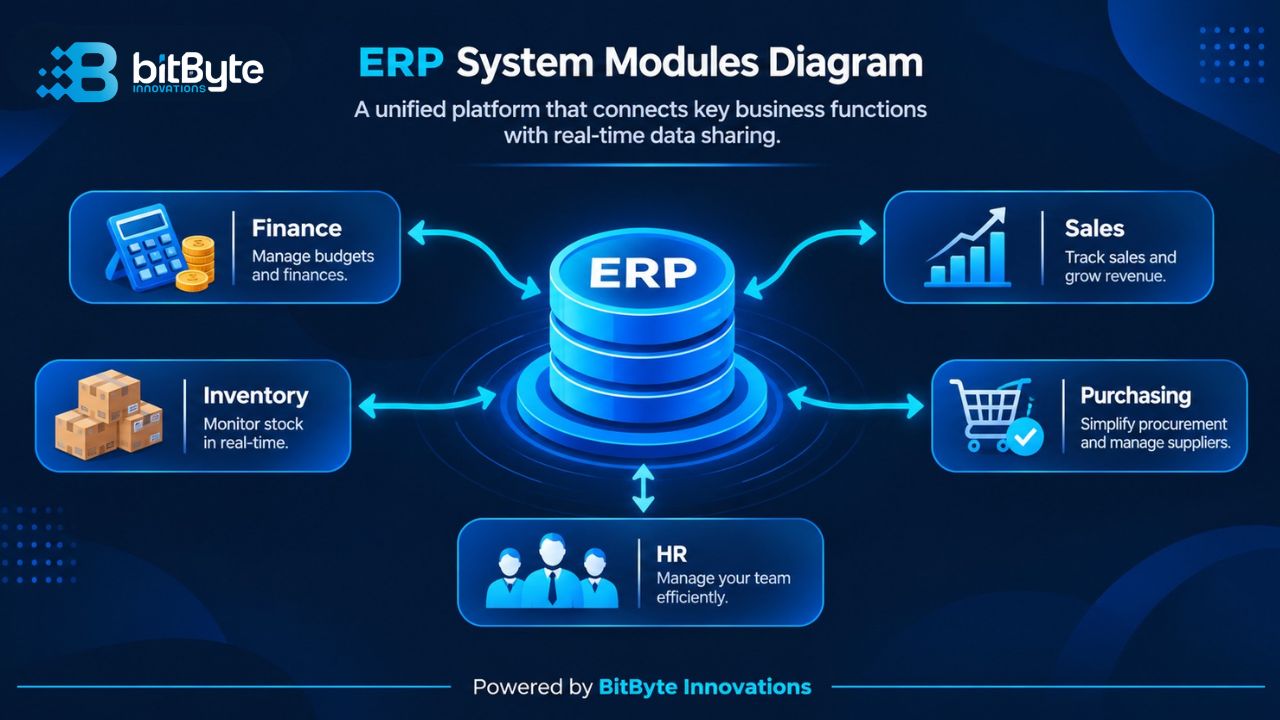
To see what is an ERP system made of, start with two parts: a central database and a set of modules. The database stores every record once. Each module gives one team a screen to work in.
Here is a simple example:
- A customer places an order, and the sales module records it.
- The inventory module checks stock and reserves the items.
- The finance module raises the invoice.
- The purchasing module sees that stock is low and suggests a reorder.
One entry triggers four steps. Data moves by itself, so people stop acting as the glue between tools.
What Does an ERP System Do?
Every ERP is built from modules. These are the ones most companies use:
- Finance and accounting: ledgers, invoices, payments, and tax records.
- Inventory and warehouse: stock levels, batches, and transfers between locations.
- Sales and CRM: quotes, orders, and customer history.
- Purchasing and supply chain: supplier orders, approvals, and delivery tracking.
- HR and payroll: attendance, leave, and salaries.
- Reporting: dashboards that pull from all of the above.
You don’t need every module on day one. Most firms start with finance and inventory, then add the rest. If your needs are unusual, custom ERP software lets you build only the modules you use.
Key Benefits of an ERP System
What is an ERP system really worth? It mostly comes down to five gains.
- One source of truth. Sales, accounts, and the warehouse all see the same numbers.
- Less manual work. Fewer re-entries means fewer typing errors.
- Faster reports. A monthly report becomes a live dashboard.
- Better control. Approvals and user permissions are built in.
- Room to grow. You can add branches, users, and modules later.
Clean, connected data also helps your next step. AI tools only work well on data they can trust. Our guide on what AI for business automation really means explains why.
Types of ERP Systems
ERP systems differ in where they run and how much they can be changed.
Cloud, on-premises, and hybrid
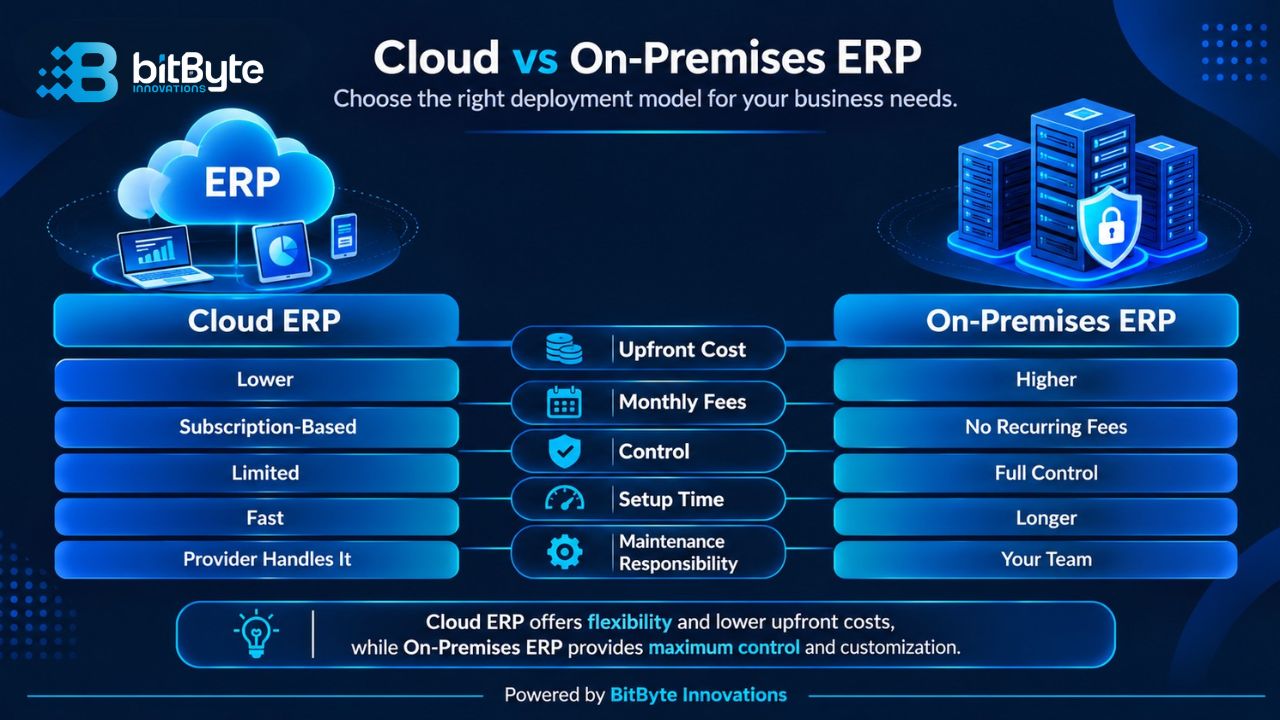
Cloud ERP runs on the vendor’s servers. You pay a monthly fee and start quickly. On-premises ERP runs on your own servers. It costs more upfront but gives you more control. Hybrid ERP mixes the two. IBM explains these deployment options for ERP systems in more detail. If you plan to move to the cloud, our cloud solutions team can help you plan the setup.
Off-the-shelf and custom
Off-the-shelf ERP is built for many industries at once. It is cheaper to start, but you may end up working around features that don’t fit. Custom ERP is built around your own workflow. It costs more to build, yet it fits from the first day. We compare both paths in custom software vs off-the-shelf software.
One warning applies to every type. An ERP holds your most sensitive data. Plan user roles, backups, and security testing from the start. Our cyber security services cover exactly that.
5 Signs Your Business Needs an ERP System
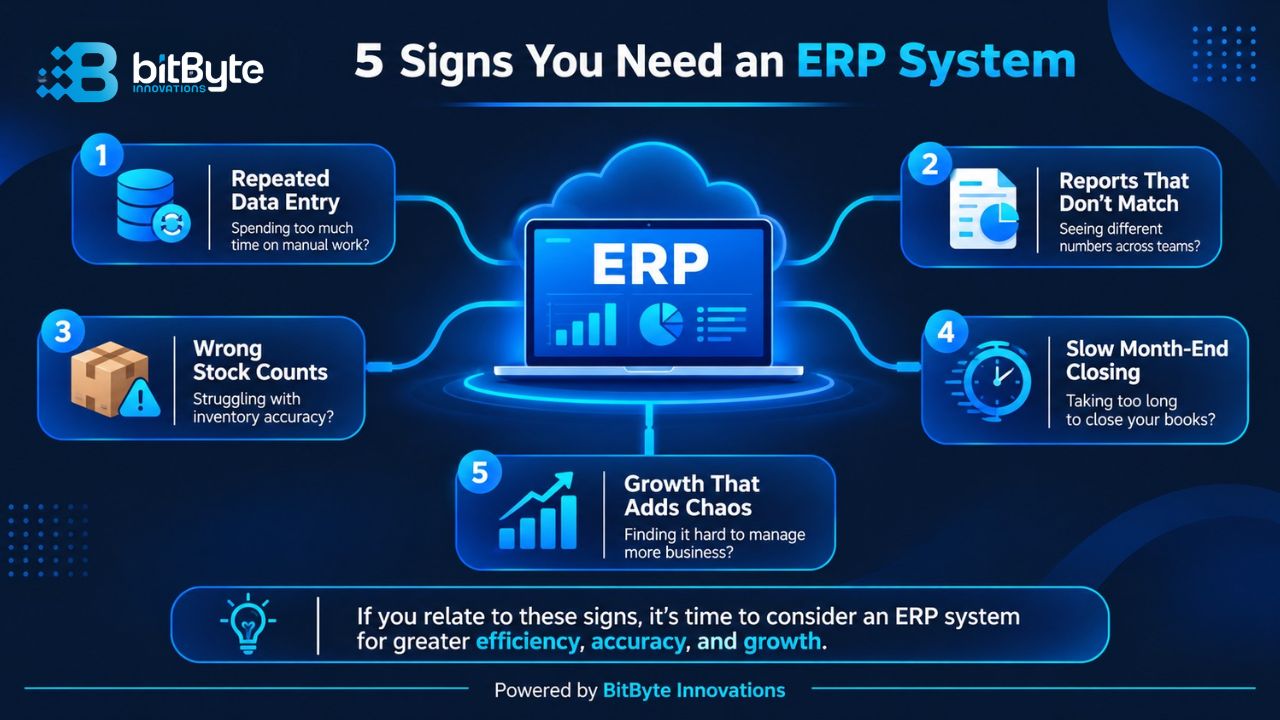
Now you know what is an ERP system and what it does. The harder question is whether you need one today. Check your business against these five signs.
1. You re-enter the same data in several places
You type a sales order into a spreadsheet, then an invoice, then a stock sheet. You are paying people to copy data. An ERP system enters it once.
2. Your reports never match
Sales says you sold 400 units. The warehouse says 380. Accounts says something else. Different files tell different stories, and meetings turn into arguments about whose file is right.
3. Your stock count is often wrong
You promise items you don’t have. Or you buy more of what already fills your shelves. Live inventory fixes both problems.
4. Month-end closing takes days
Your team collects files from every branch, fixes the gaps, and merges everything by hand. In an ERP system the numbers are already together.
5. Growth is adding chaos, not profit
A new branch, more staff, or a new product line should make you stronger. If each one adds more spreadsheets and more mistakes, your tools have stopped scaling.
Nodded at three or more? Ask yourself what is an ERP system worth to you, and start looking.
When You Don’t Need an ERP System Yet
Not every business needs one. Before you ask what is an ERP system going to cost, ask whether you need one at all. A single shop with a handful of products can run on a simple accounting app. Buying too early costs money and patience.
Some industries also do better with a focused tool than a full ERP. A hotel, for example, can run on a purpose-built system like our hotel management system. Choose the smallest tool that solves your real problem.
How to Get Started With an ERP System
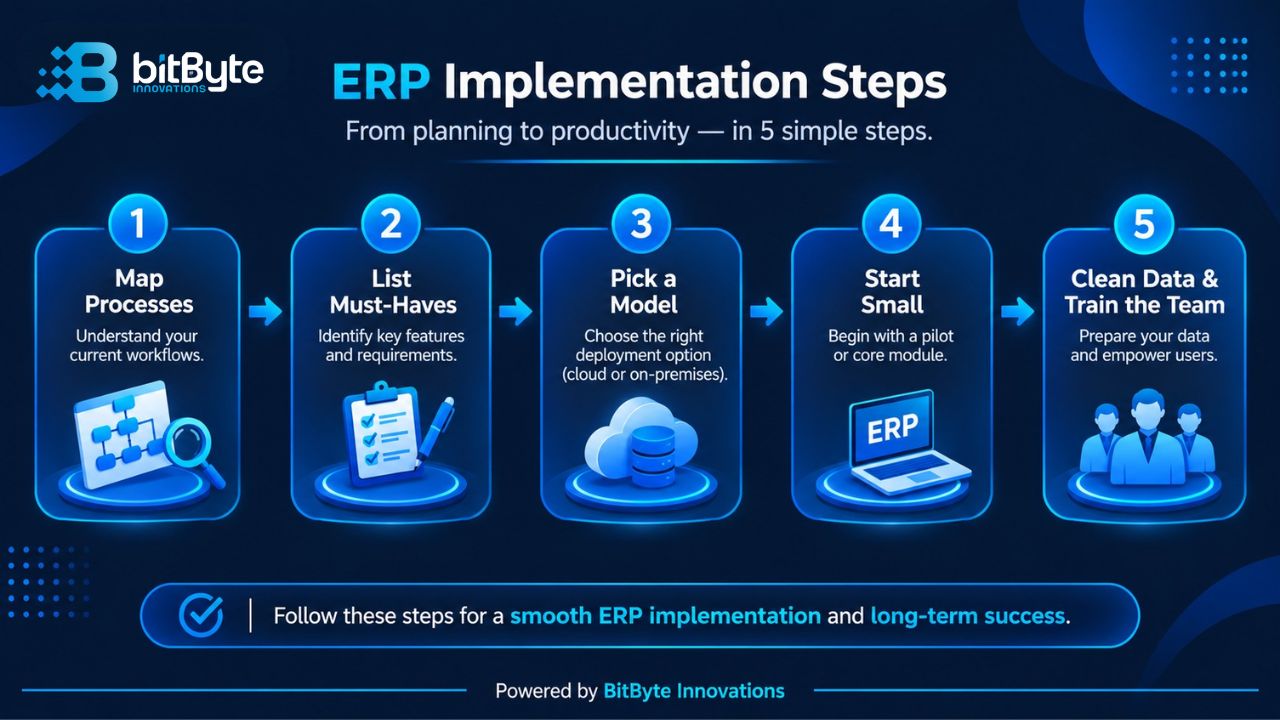
Once you know what is an ERP system and what you need from it, follow these steps.
- Map your processes. Write down how orders, stock, and payments move today.
- List must-haves. Separate what you need now from what would be nice later.
- Pick a model. Decide between cloud, on-premises, off-the-shelf, or custom.
- Start small. Launch one module or one branch first.
- Clean your data and train your team. Bad data moved into a new system is still bad data.
ERP for Businesses in Bangladesh
Local needs matter when you choose a system. What is an ERP system worth to a firm with three branches? One report everyone trusts.
Check that it handles VAT invoices, local payment methods, and documents in both Bangla and English. Many international platforms are priced in foreign currency, so ask about total cost before you commit.
Many Chittagong and Dhaka businesses also run several branches or warehouses. Your ERP must keep them separate yet visible in one report. Planning a wider shift away from paper? Our digital transformation services can fit the ERP into a clear roadmap.
Frequently Asked Questions
What is an ERP system in simple words?
It is one software system that connects your finance, stock, sales, purchasing, and HR work. Every team uses the same data, so nobody has to copy or chase information.
What is an ERP system used for?
Businesses use it to track money, manage inventory, process orders, run payroll, and produce reports. It replaces scattered spreadsheets and separate tools.
What is the difference between ERP and CRM?
A CRM manages customers, leads, and sales follow-up. An ERP runs the whole operation, including finance, stock, and HR. Many ERP systems include a CRM module.
How much does an ERP system cost?
It depends on the number of users, modules, and how much customization you need. Cloud ERP usually costs less to start. Custom ERP costs more to build but avoids paying for features you don’t use.
How long does it take to set up an ERP system?
A small cloud rollout can take a few weeks. A full custom system usually takes several months, delivered in phases and tested as you go.
Final Thoughts: Is an ERP System Right for You?
The short answer to what is an ERP system is simple: one trusted view of your business. If you re-type data, fight over numbers, or lose track of stock, it is probably time. If you are still small and simple, wait.
Not sure which side you fall on? Talk to the BitByte team in Chittagong. We will review your workflow and tell you honestly: ERP, a lighter tool, or nothing yet.